



How to Add Large Number of Shipping Accounts (>50) to a Advanced Integrated Visibility
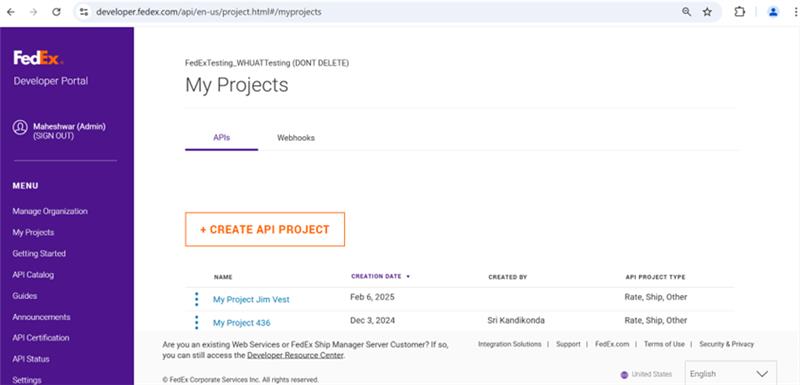
Step 1: Create an Organization
- Navigate to developer.fedex.com.
- Create an organization on the FedEx Developer Portal (FDP).
Step 2: Create a Project
- Create a project on the FDP – CREATE API PROJECT.
- The FedEx API Core team will add the 'Associate Account API' to your project via the ADMIN tool.
Step 3: Integrate Associate Account API
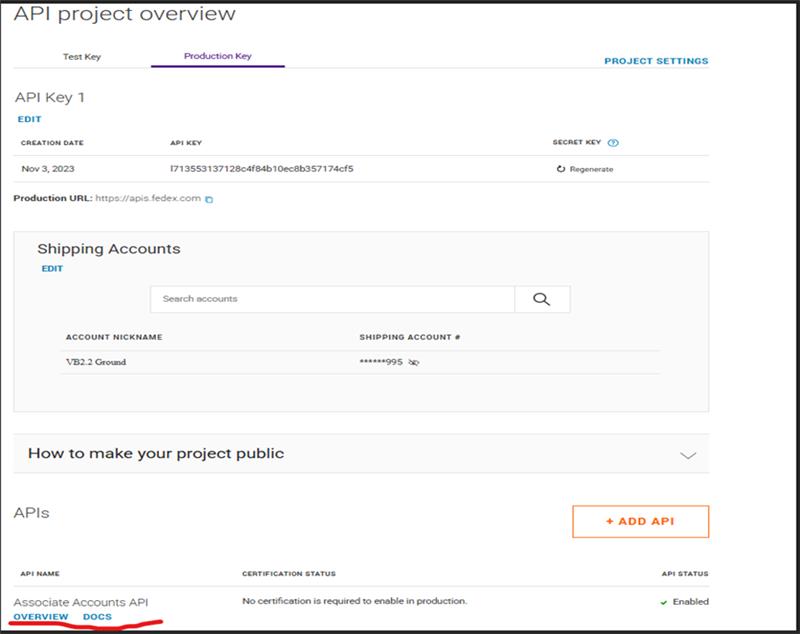
- Access the 'Associate Account API' under the Production Keys tab on the FDP.
- Use this API to add accounts to your FDP organization.
- For more details, visit the Associate Accounts API documentation.
Step 4: Create Advanced Integrated Visibility Account Number Subscription
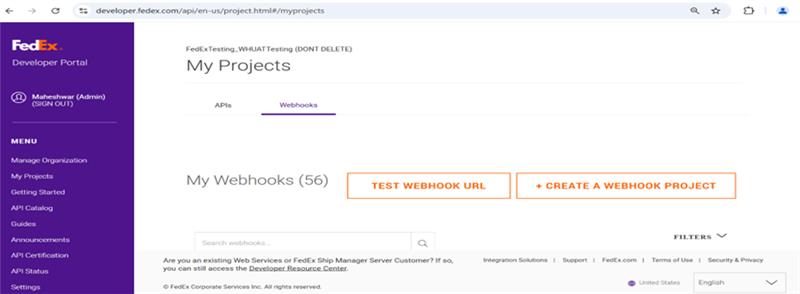
- On the FDP UI, create an 'Advanced Integrated Visibility Account Number Subscription'.
- Ensure you select at least one shipping account via the UI.
Step 5: Add Account Subscription API
- The FedEx API Core team will add the 'Account Subscription API' to your project via the ADMIN tool.
Step 6: Access Advanced Integrated Visibility Account Number Subscription API
- For more details, visit the Advanced Integrated Visibility Account Number Subscription API documentation.
Step 7: Integrate Update Webhook Project Endpoint
- Integrate the 'Update Webhook Project Endpoint' to add additional accounts in batches of 50


